Troubleshooting & Bug Reports
Troubleshooting hints and tips will be added here. If you are having a problem which cannot be solved by anything on this page, either try searching the FSL mailing list archives to see if somebody else has had the same problem, or send a email to the mailing list.
MRS specific questions may be better answered on the MRSHub forums.
Bug Reporting
Please report bugs on the public FSL-MRS GitHub Issue Tracker or via email to the developers.
Troubleshooting hints
- Unable to find example data
If you installed FSL-MRS through conda the example data can be downloaded directly from the GitLab repository folder.
- Poor fits
Three problems are commonly diagnosed when poor fits are seen:
Basis spectra are inconsistently scaled. For example empirically derived macromolecular basis spectra can be orders of magnitude larger than the other basis spectra. Before fitting, fsl_mrs(i) scales the magnitude of the data and basis spectra to a known range. Relative scales are preserved within the basis spectra. To permit fsl_mrs(i) to apply different scales to individual basis spectra use the
--ind_scaleoption with a list of basis names.The data might have parameters unlike a 7T or 3T human in vivo brain spectrum. I.e. the spectrum originates from a pre-clinical system or from phantom. In this case the MCMC priors which are suitable for in vivo human case can be disabled using the
--disable_MH_priorsoption. Priors can be fine tuned by altering the values infsl_mrs.utils.constants.MR spectrum needs conjugation. Since FSL-MRS 3.0.0 release, MRS FIDs are no longer automatically conjugated. Hence, the input data might not be in the correct NIfTI-MRS convention and require a manual conjugation to be performed. To achieve this, one may use the following mrs_tools command:
mrs_tools conjugate --file <input_file> --output <output_folder> --filename <output_filename>
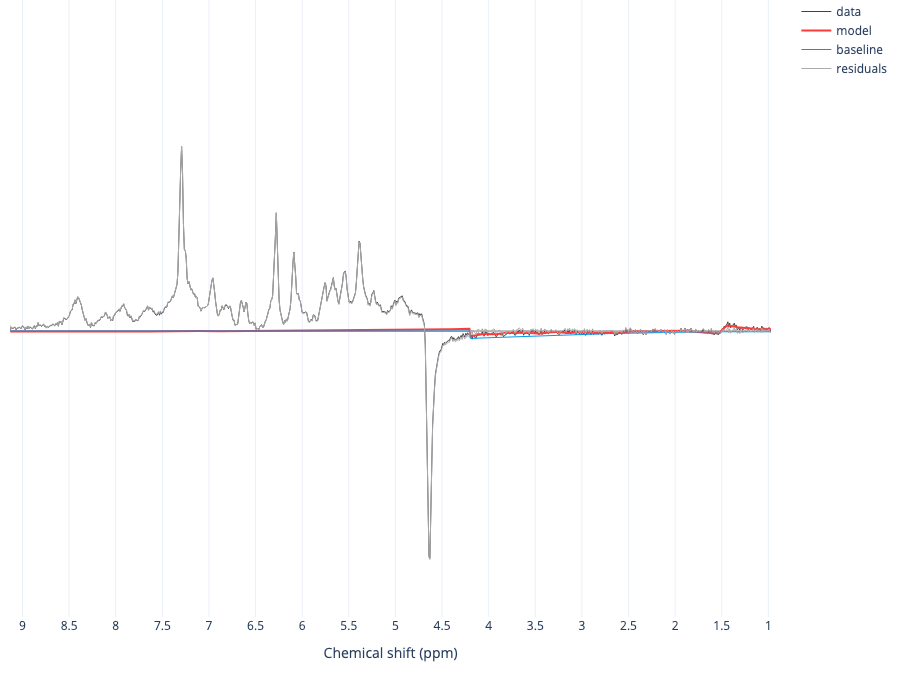
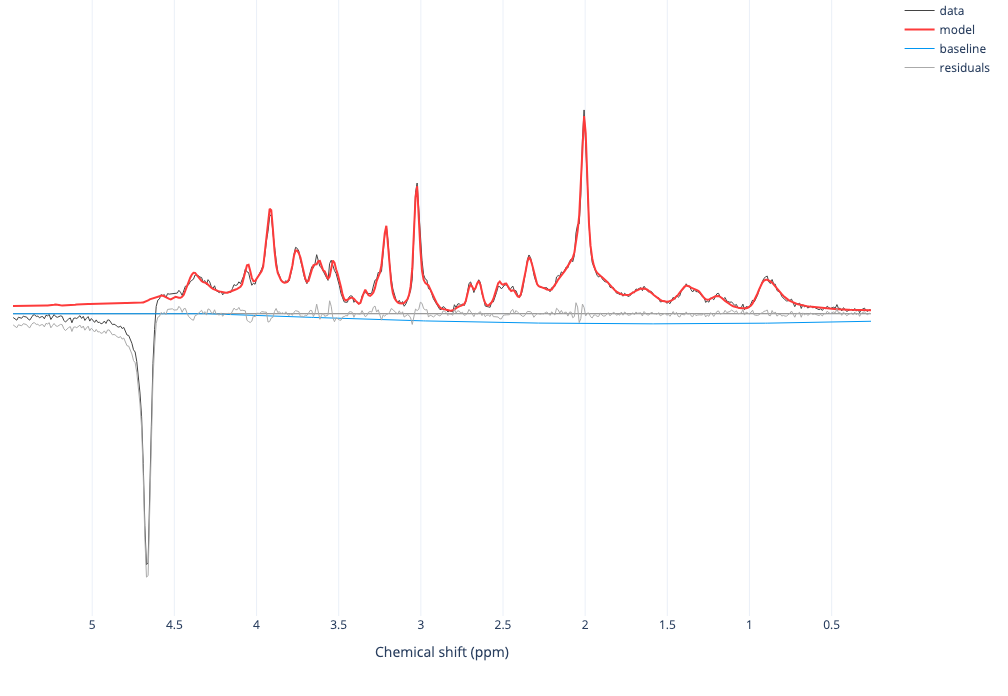
Since FSL-MRS 3.0.0 release, the results html file will still be created even if the fitting has failed. Although, an explicit reason of the failure will not be given, a visual inspection of the results might make it apparent that the file needs to be conjugated. An example of such results are shown below.
Before conjugation:
After conjugation:
- Identifying the correct files for conversion
Raw data files, especially DICOM files can have obscure naming conventions. It can be difficult to determine which files should be converted for use in FSL-MRS. Tools such as gdcmdump from GDCM can help in identifying the scans by giving you access to the DICOM headers.
- Data looks ‘wrong’ after conversion
If when using
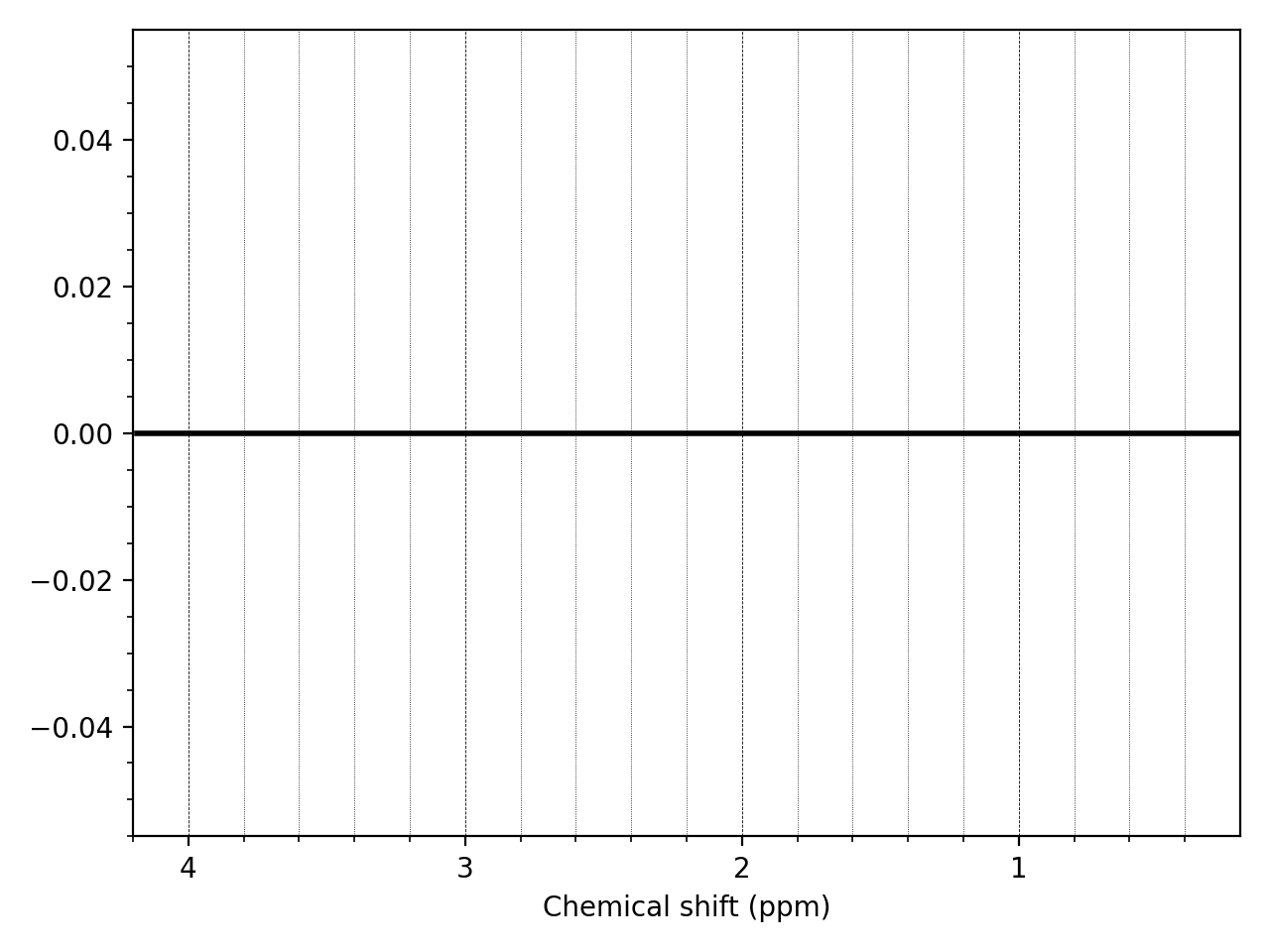
mrs_tools visyou see no signal and just noise try conjugating the data usingfsl_mrs_proc conjor try expanding the ppm range plotted--ppmlim -10 10. If you see a flat line, then conversion failed. The data might be corrupted - did the acquisition complete successfully?
- Parallel processing on the FMRIB SLURM cluster does not work.
If fsl_mrsi or fsl_dynmrs is run on the cluster with
--parallel clusteroption, then a dask yaml config file needs to be available under~/.config/daskor/etc/dask. If dask cannot find an appropriate config for the command, then it will raise a KeyError. Example of a valid config for the FMRIB cluster is shown below:jobqueue: fsl_mrsi: name: dask-worker # Dask worker options cores: 2 # Total number of cores per job memory: '2GB' # Total amount of memory per job processes: null # Number of Python processes per job python: null # Python executable interface: bond0.148 # Network interface to use like eth0 or ib0 death-timeout: 60 # Number of seconds to wait if a worker can not find a scheduler local-directory: null # Location of fast local storage like /scratch or $TMPDIR shared-temp-directory: null # Shared directory currently used to dump temporary security objects for workers extra: null # deprecated: use worker-extra-args worker-command: "distributed.cli.dask_worker" # Command to launch a worker worker-extra-args: [] # Additional arguments to pass to `dask-worker` # SLURM resource manager options shebang: "#!/usr/bin/env bash" queue: 'interactive' account: null walltime: '00:30:00' env-extra: null job-script-prologue: [] job-cpu: null job-mem: null job-extra: null job-extra-directives: [] job-directives-skip: [] log-directory: null # Scheduler options scheduler-options: {} fsl_dynmrs: name: dask-worker # Dask worker options cores: 2 # Total number of cores per job memory: '2GB' # Total amount of memory per job processes: null # Number of Python processes per job python: null # Python executable interface: bond0.148 # Network interface to use like eth0 or ib0 death-timeout: 60 # Number of seconds to wait if a worker can not find a scheduler local-directory: null # Location of fast local storage like /scratch or $TMPDIR shared-temp-directory: null # Shared directory currently used to dump temporary security objects for workers extra: null # deprecated: use worker-extra-args worker-command: "distributed.cli.dask_worker" # Command to launch a worker worker-extra-args: [] # Additional arguments to pass to `dask-worker` # SLURM resource manager options shebang: "#!/usr/bin/env bash" queue: 'interactive' account: null walltime: '00:30:00' env-extra: null job-script-prologue: [] job-cpu: null job-mem: null job-extra: null job-extra-directives: [] job-directives-skip: [] log-directory: null # Scheduler options scheduler-options: {}
Note: More details on how to set up a dask config file can be found here.